Wrenscribe
Private dictation, built for the Linux desktop.
wrenscribe.appLinux desktop / Early access
- Role
- Product design and development
- Status
- Early access
- Stack
- Rust
- Tauri
- React
- TypeScript
- SQLite
- GNOME Shell
- llama.cpp
- Flatpak
From a shortcut to finished text
Hold a shortcut, speak, then release it. Wrenscribe transcribes the recording and cleans up the text before pasting it into the focused app. A short tap starts hands-free recording, so a longer thought does not require holding a key.
The Linux app works with GNOME on Wayland. A desktop extension handles the shortcut, recording indicator and text delivery, while the main app keeps the resulting dictations available for review.
Words that fit the destination
A personal dictionary corrects names, technical terms and recurring mishearings. App profiles let a coding prompt and a chat message use different formatting without changing the way you start a recording.
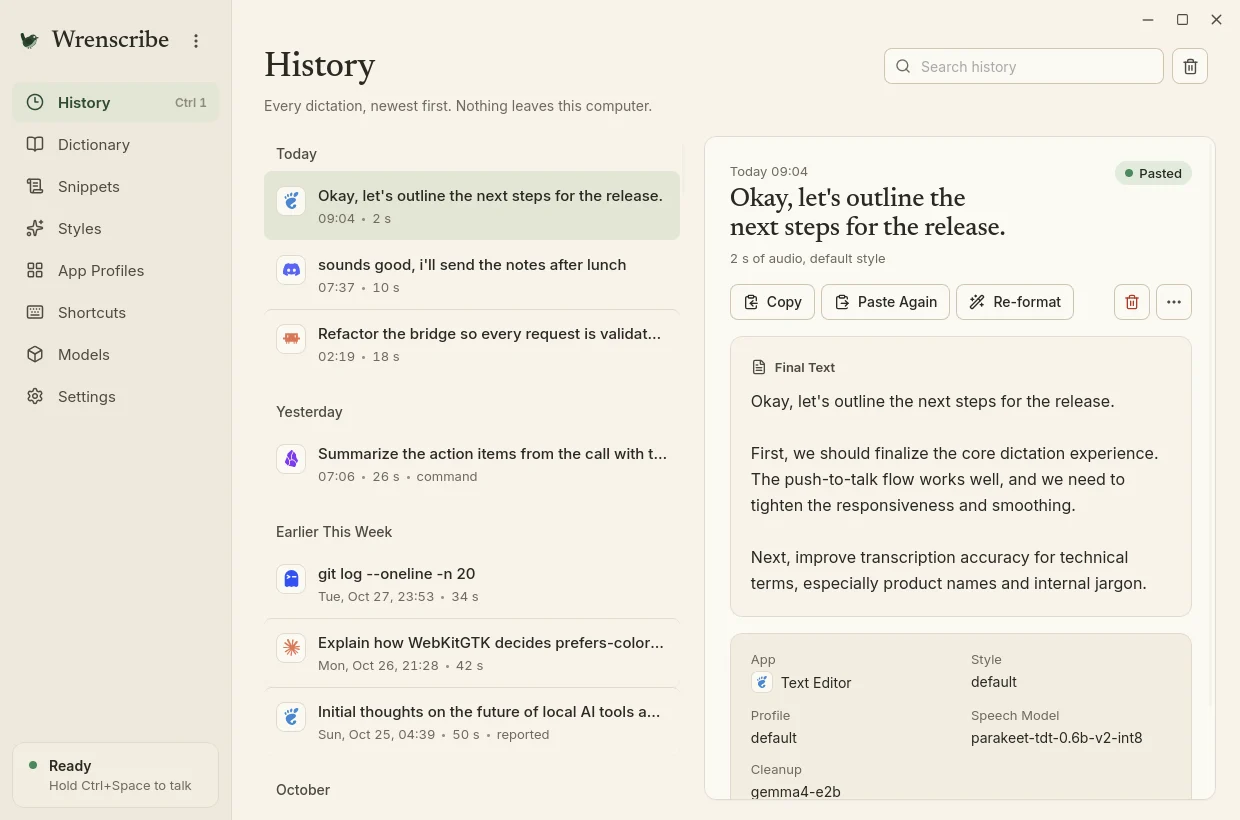
Spoken snippets expand into saved text. Command mode can rewrite a selection by voice, and history keeps the original transcript beside its cleaned version so an edit can be checked.
Processing on your computer
Speech recognition and cleanup run locally. Once the models are downloaded, dictation works offline, and transcripts are stored in a local SQLite database. The path from microphone to pasted text stays on the same computer.
Available in early access
Wrenscribe is packaged as a Flatpak for Linux. The public site explains the product and provides its early-access path. Native macOS work is planned; the available desktop build remains Linux-first.
Have a project in mind?
Tell us what you want to build or what your current site needs.